PhotoFast i-Flash Drive Made Easy To Data Transfer for Apple Users

PhotoFast i-Flash Drive EVO with 8GB, 16GB, 32GB and 64GB variants and
provides a hassle free way of transferring data for Apple devices
  
Creative Peripherals, one of the India's  distribution network in IT, Imaging, Telecom and Lifestyle products today announced the launch of Photofast i-Flash Drive EVO for Apple users. Photofast i-Flash Drive EVO is an OTG device which is made to ease the hassles of data transfer in Apple devices. It comes with four variants 8GB, 16GB, 32GB & 64GB. The device has in-built software similar to iTunes which simplifies the process of sharing content among multiple devices without the need of internet connectivity.

Technical Specifications

Variants
8GB, 16GB, 32GB, 64GB
Platform
Cross Platform (Windows, iOS, Linux)
USB
3.0
iOS App Link
Android App Link
Supported File Types
Music, Videos, Pictures and Documents


The i-Flash Drive EVO is ultrafast with its USB 3.0 port. The device works without any wireless network and can expand the capacity of a device by up to 64GB. It also comes along with a free app 'EVO'. This app has an amazing utility and can sort data based on its type. The app comes with a lock/unlock feature that makes our data safe from unwanted use.

Availability and Pricing
The PhotoFast i-Flash Drive EVO is available in 64GB, 32GB, 16GB and 8GB with exclusive distributors Creative Peripherals & Distribution Pvt. Ltd. The EVO comes with a warranty of 2 years. Pricing is shown below:
EVO 64GB - Rs 14,650
EVO 32GB - Rs 7,300
EVO 16GB - Rs 5,850
EVO 8GB - Rs 5,100

How to take printout from your Android / iPhone's WhatsApp Messages


With the popularity of  WhatsApp, now businessmen also use this app to talk with their clients these days and if they want to take hardcopy of these messages then here is the way.

 Note: Here, we use Android Phone but this procedure is also applicable for iPhone


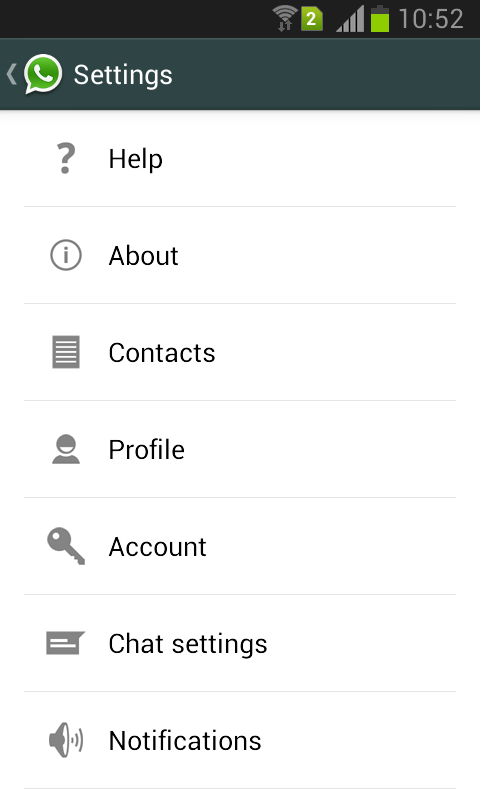
Step 1: On Android / iPhone's Open your WhatsApp   and go to settings.


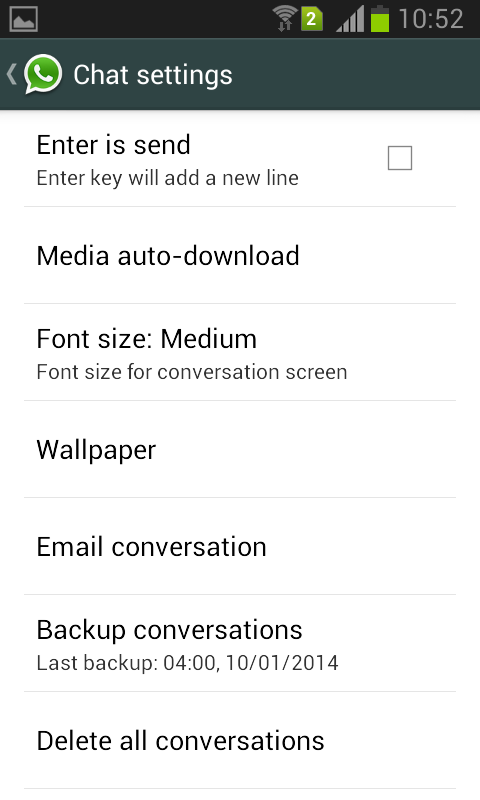
Step 2: Once you open your WhatsApp chat settings then  select email conversation as shown below.
print whatsapp messagesprint whatsapp messages


Step 3: When you select an Email conversation option, it will show your WhatsApp Inbox, select the contact for which you want to take a print out.


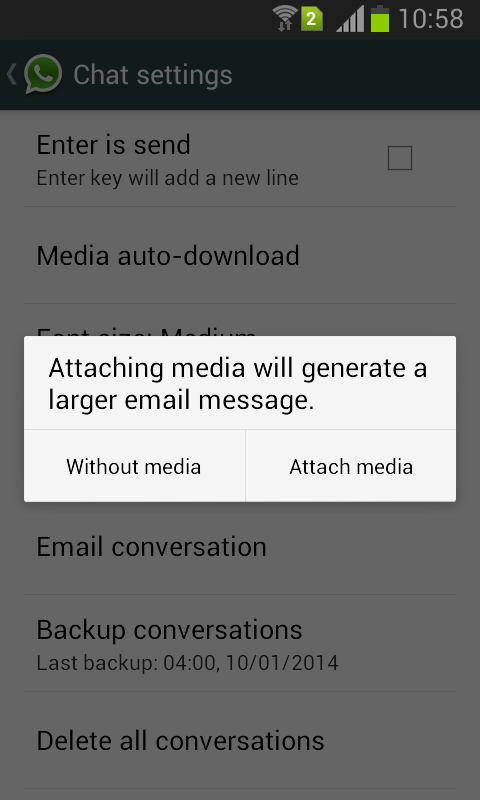
Step 4: Next step is  whether you want a conversation without media or with media.
print whatsapp messages

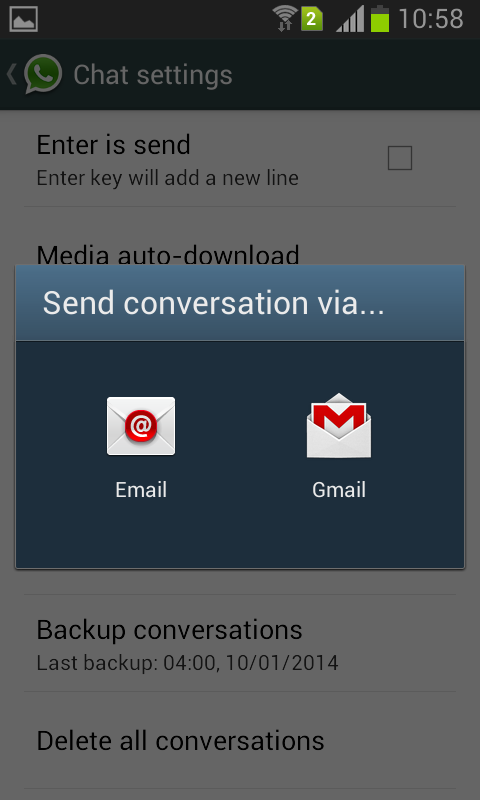
Step 5: Send conversation to your mail ID via configured mail address on your Android phone  either through Gmail or any other Email .
print whatsapp messages

Step 6: Once your message send, open your email on PC and download it.

Step 7: Open the downloaded file with Wordpad  and print it.

“Pandora” streaming stick that can display anything “wirelessly” unveils by Portronics


Project your smartphone or laptop display on your TV or projector wirelessly with Portronics Pandora . Portronics brings Pandora that can connect the displays of Televisions, Projectors and Monitors (with HDMI) to your smartphones, tablets and laptops “wirelessly” and you can enjoy all kinds of contents with ease.

Pandora is a USB stick which can be plugged into the HDMI port of a television or projector directly and can connect to your Smartphone. Connect Pandora to your Wi-Fi network and easily share the content from all your devices on the large television or projector display without the wires. You can view everything on TV or projector that you can see on your PC, Smartphone or Tablets.

Pandora is compatible with all devices including the Android Smartphone, iPhone, iPads, Windows Laptops and Mac book are compatible with Pandora. It lets you project the existing photos and videos of your Smartphone to your Television. You can also project documents like Power Point presentations, Word Documents as well as Excel sheets from your Smartphone to the television. This facility comes really handy especially during Conferences or Boardroom meeting or if you simply want to sit back and relive your moments of joy with the entire family and friends.

Pandora is a wonderful device that can be connected to the TV which will then allow you to surf the Internet or view YouTube videos wirelessly. In this case it connects smartphone to Pandora through “point-to-point” Wi-Fi and Pandora connects to the Home or Office Wi-Fi network which in turn gives internet connectivity to your Smartphone. Whatever you browse on the internet over your Smartphone can be viewed on the Television as well.

It works in two different mmodes - Wi-Fi Direct Mode and Wi-Fi Mode. With Wi-Fi direct mode, you dont require internet connection to connect the Smartphone to the Pandora. It uses internal Wi-Fi connection to stream content without any delay. In the second- Wi-Fi Mode, it works with Wi-Fi router of your Home/Office and the Smartphone gets the internet indirectly through the Pandora Streaming players and you can then see YouTube videos or browse internet.

Pandora is available with a price of Rs.2999.

Key specs: Portronics, Pandora, streaming stick, Portronics Pandora, HDMI stick, Wi-Fi stick