How to take printout from your Android / iPhone's WhatsApp Messages


With the popularity of  WhatsApp, now businessmen also use this app to talk with their clients these days and if they want to take hardcopy of these messages then here is the way.

 Note: Here, we use Android Phone but this procedure is also applicable for iPhone


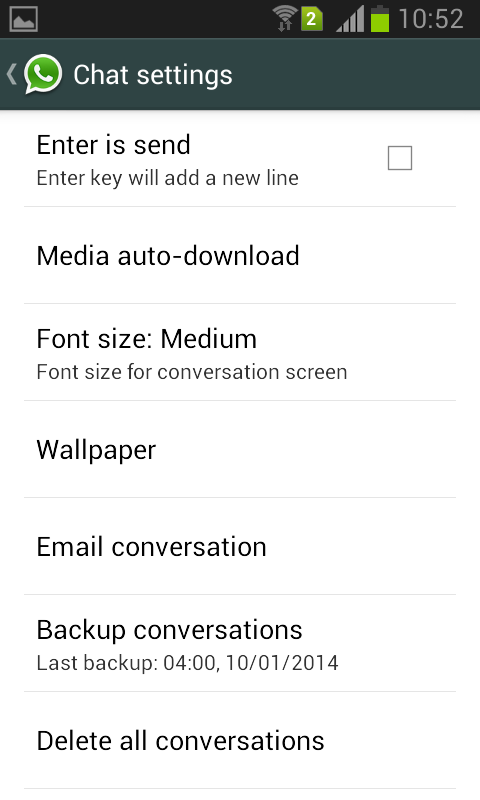
Step 1: On Android / iPhone's Open your WhatsApp   and go to settings.


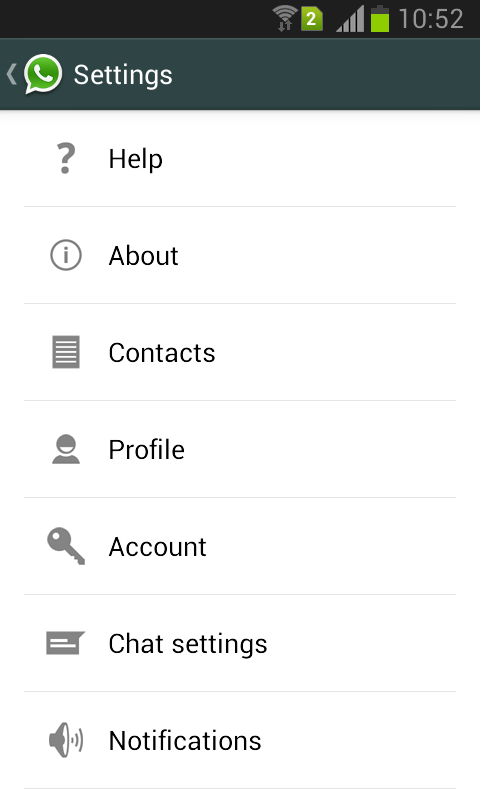
Step 2: Once you open your WhatsApp chat settings then  select email conversation as shown below.
print whatsapp messagesprint whatsapp messages


Step 3: When you select an Email conversation option, it will show your WhatsApp Inbox, select the contact for which you want to take a print out.


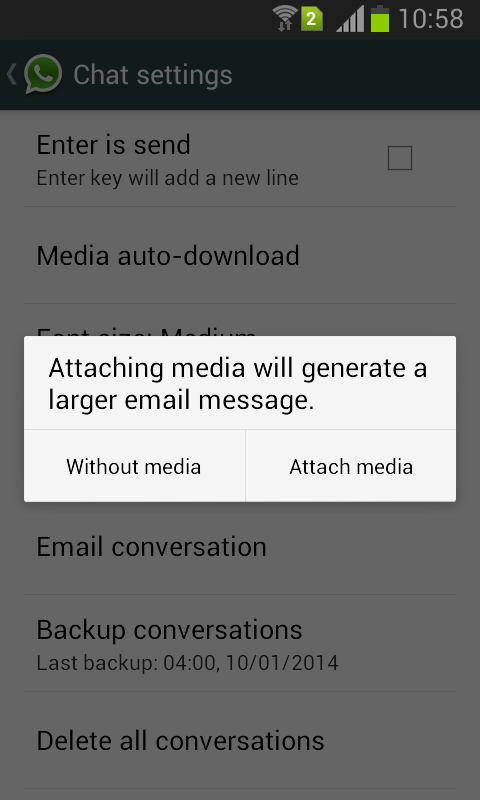
Step 4: Next step is  whether you want a conversation without media or with media.
print whatsapp messages

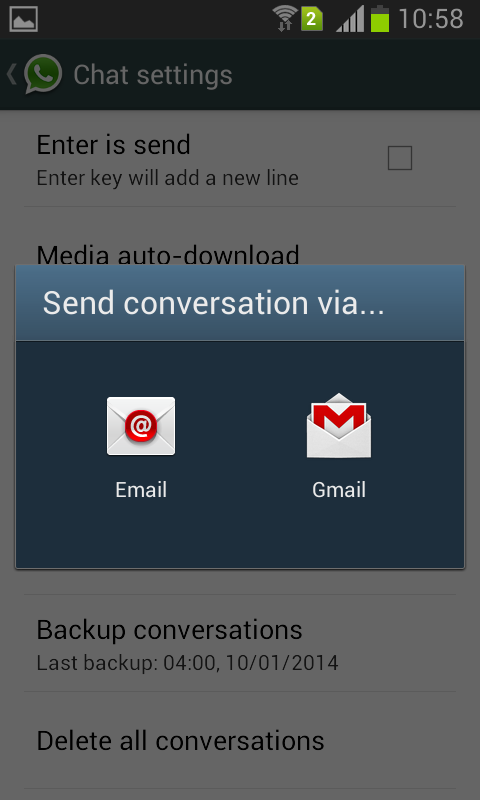
Step 5: Send conversation to your mail ID via configured mail address on your Android phone  either through Gmail or any other Email .
print whatsapp messages

Step 6: Once your message send, open your email on PC and download it.

Step 7: Open the downloaded file with Wordpad  and print it.

The new UC Browser comes with doodle sharing and better Facebook photo upload support

  UC Browser  mobile browser with over 41% market share, has just released an update which comes with a funny doodle sharing feature and smoother Facebook photo upload support.

As we browse through diverse content for varied information every day, we come across interesting news that we want to share with our friends immediately. UC Browser now supports Funny Doodle Sharing feature, which can be accessed easily via “Menu - Share” on UC Browser (refer to screenshots below).


Now, you can send webpage screenshot with a UC mascot sticker on it before sharing it via Facebook, Facebook Messenger, Whatsapp, email, etc. UC Browser provides an array of expressive stickers, so that we can share our emotions with friends in funny or emotional ways most apt for the news.

You can download the latest version of UC Browser from here http://www.ucweb.com/ucbrowser/download/

Millions of Indian users flock onto Facebook via UC Browser everyday, and the team behind the browser continues to improve the Facebook browsing experience. The latest update comes with an enhanced support for photo uploading to Facebook, enabling a more stable photo uploading process. This is another boost for Facebook experience on UC Browser, after industry-leading Facebook Real-time Notification feature.

The latest UC Browser also allows you to use a transparent background when browsing websites, as well as to synchronize bookmarks from default Android browser.