How to take printout from your Android / iPhone's WhatsApp Messages


With the popularity of  WhatsApp, now businessmen also use this app to talk with their clients these days and if they want to take hardcopy of these messages then here is the way.

 Note: Here, we use Android Phone but this procedure is also applicable for iPhone


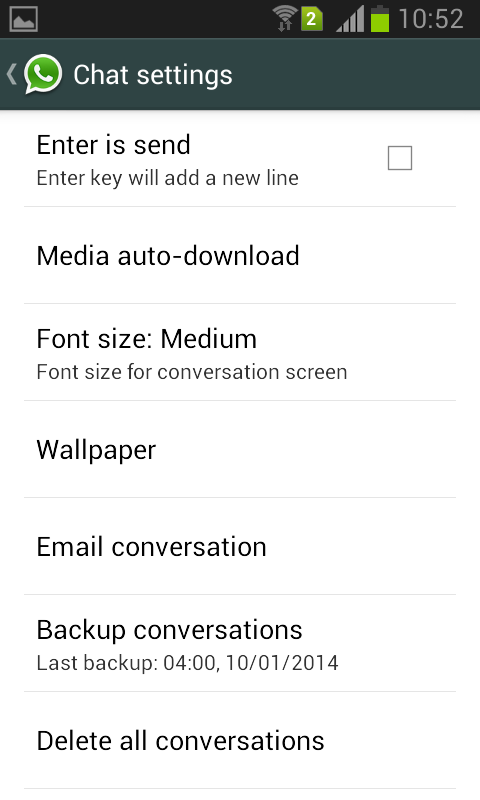
Step 1: On Android / iPhone's Open your WhatsApp   and go to settings.


Step 2: Once you open your WhatsApp chat settings then  select email conversation as shown below.
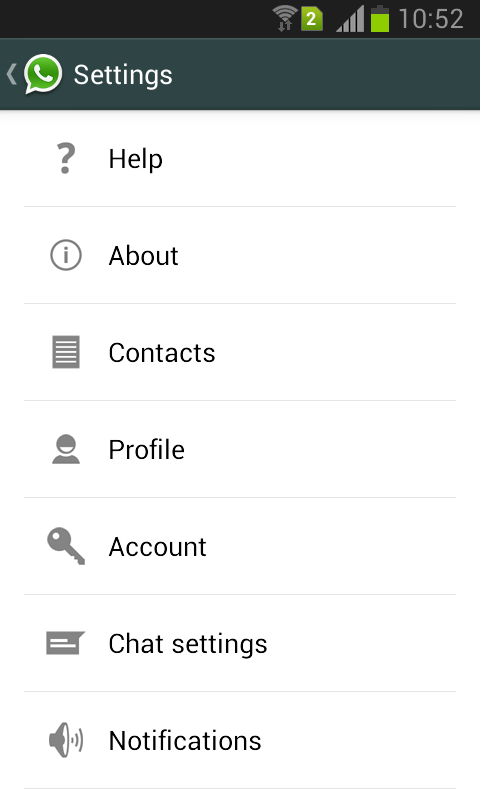
print whatsapp messagesprint whatsapp messages


Step 3: When you select an Email conversation option, it will show your WhatsApp Inbox, select the contact for which you want to take a print out.


Step 4: Next step is  whether you want a conversation without media or with media.
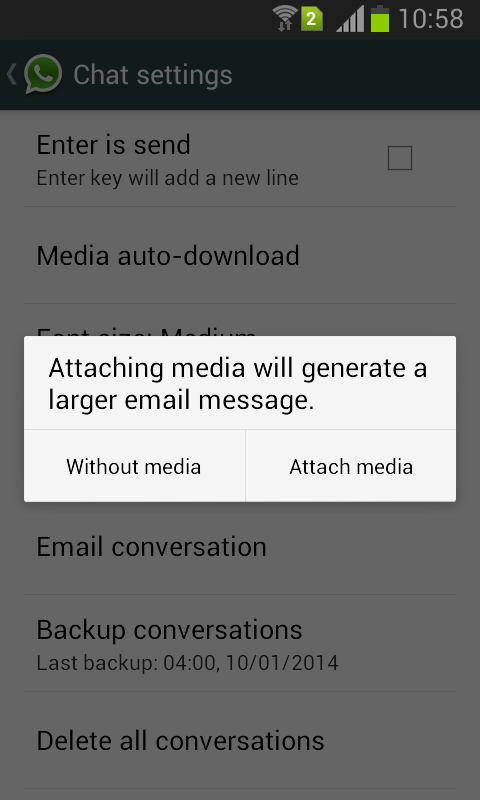
print whatsapp messages

Step 5: Send conversation to your mail ID via configured mail address on your Android phone  either through Gmail or any other Email .
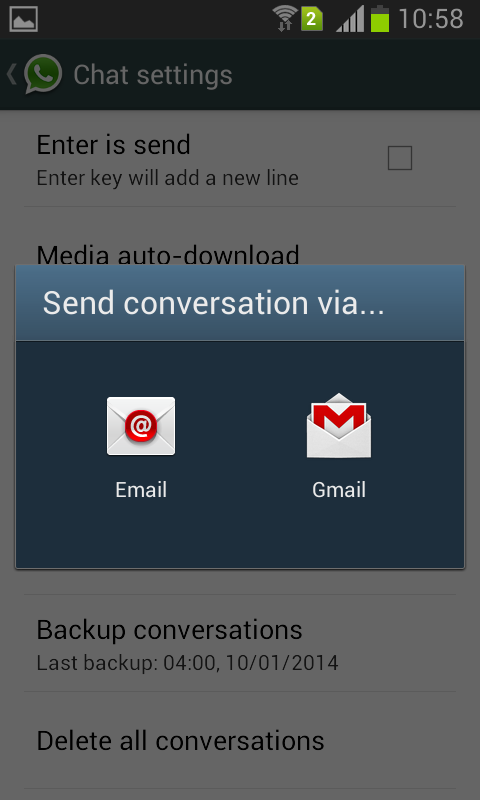
print whatsapp messages

Step 6: Once your message send, open your email on PC and download it.

Step 7: Open the downloaded file with Wordpad  and print it.

Kaspersky Lab Presents Phound! a free Anti-Theft app for Android


Kaspersky Lab presents a new free Android app, a tool which enables users to protect the
things that are valuable to them – their mobile devices and personal data. Phound! – derived
from the words Phone and Hound – helps to find a lost gadget quickly and keep any valuable
information stored on it away from prying eyes.

According to a survey of Internet users, over a one year period one respondent in 20 on
average – and as many as one in six for some countries! – lost their smartphone or tablet as
a result of carelessness or theft. At the same time, 38% of users admitted that their devices
contained confidential data that they would definitely not want to fall into the wrong hands.


Kaspersky Phound! was developed to prevent this kind of alarming situation. Phound! offers gadget owners the ability to control their devices and the data stored on  them remotely, via the My Kaspersky portal. If a device is lost or stolen, users can quickly block it to prevent unauthorized access, as well as using GPS, GSM or Wi-Fi networks to find  its position on the map. To make searching for the device easier, users can also take pictures  with the front camera or bring up a message on the device’s screen.


If the telephone or tablet was lost at home or in the office, it can be found with the help of  the Alarm feature – the device makes a loud sound and continues until the owner enters a secret code. As a last resort, the owner can use Phound! to remove all personal data from the device and the SD card remotely, including contacts, messages, photos etc., as well as perform a hard reset of the device, if required.